

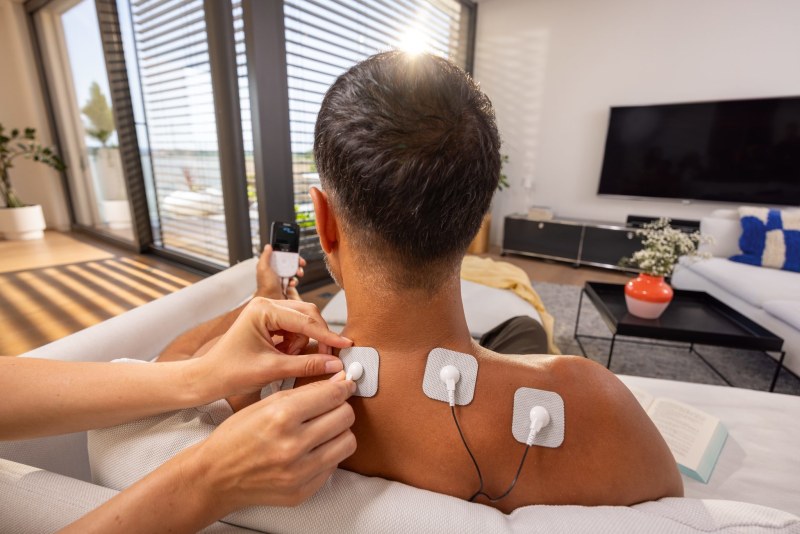
After a long day at your desk, your neck and shoulders feel tight, and you apply the electrodes. The display of your TENS device then shows values like 100 Hz or 200 µs. But what do these numbers actually change about what you feel? We explain what frequency, pulse width and modulation do and how you can set them yourself on our devices.
What the frequency in hertz means
The frequency indicates how many individual impulses your TENS device delivers per second, measured in hertz (Hz). At 100 Hz, that means 100 impulses per second; at 2 Hz, only two. This value helps determine the pathway through which TENS can ease pain.
Our Digital TENS/EMS devices use two pathways for this. High frequencies are primarily intended to dampen the transmission of pain in the nerve fibers. In addition, the stimulation can promote the release of endorphins, the body's own pain relievers, which can reduce the sensation of pain in the central nervous system.
The specialist literature assigns these two pathways to different frequency ranges. With low-frequency stimulation, the body's own endorphins may be released. With high-frequency stimulation, the impulses probably interfere with the transmission of pain signals in the spinal cord.A
On the Beurer EM 89 Heat, the pulse frequency ranges from 1 to 150 Hz. The device therefore covers both ranges, and in the free TENS programs you choose the frequency yourself. If you are searching for “TENS device frequency settings”, you will find the individual steps further down.
Conventional and acupuncture-like TENS: why programs feel so different
Research distinguishes between two main types. “Conventional” TENS works with a high frequency of around 50 to 100 Hz and a low intensity. “Acupuncture-like” TENS uses a low frequency of around 2 to 4 Hz and a higher intensity.
Conventional TENS produces a pleasant, non-painful tingling sensation. It is explained by the gate control theory: stimulation of the thick nerve fibers can overlay the transmission of pain information at the level of the spinal cord.
A study with 80 volunteers and sham control compared both forms. Conventional TENS had its strongest effect at the site that was stimulated, while acupuncture-like TENS worked over a wider area. The two forms therefore have different pain-easing effects, which are based on different mechanisms.B
For you, this means: if one program feels completely different from another, that is not a fault. It simply works with a different frequency and therefore addresses a different pathway.
What the pulse width does
The pulse width indicates the duration of a single pulse in microseconds (µs). Among other things, it determines how deeply the current penetrates into the tissue. As a general rule, a larger muscle mass requires a larger pulse width.
So where do you need more width? On the thigh or in the lower back, there is more muscle mass under the electrodes than on the forearm. A narrow pulse width mainly reaches superficial structures, while a wider pulse width reaches further into the depth. In TENS programs 13 and 14, you can choose the pulse width between 80 and 250 µs.
Besides the width, the shape of the pulses also plays a role. In our Digital TENS/EMS devices, only biphasic pulse currents are used. They can relieve strain on the muscle and contribute to less muscle fatigue as well as safer application. How the current flows through the tissue also depends on where the electrodes are placed. You can find out more in our article Beurer TENS/EMS: Targeted application & electrode placement.
Why the effect wears off during a session
Do you know the feeling that the tingling is barely noticeable after a few minutes? Behind this is a habituation effect, in which the nerves get used to a constant stimulus. With longer or continuous stimulation, such a habituation effect sets in quickly.A
Our programs counteract this in two ways. They automatically change the pulse parameters in cycles so that all tissue structures at the application site are reached and individual muscle groups do not fatigue. The TENS 14 program is a burst program in which different pulse sequences run. This is intended to keep habituation as low as possible, even if you use the program regularly.
Research also supports the principle of variation. In an animal study on rats with joint inflammation, alternating between 4 Hz and 100 Hz delayed habituation by about five days compared with a single frequency. The alternation between low and high frequency also seemed to work better at easing pain there.C The result comes from an animal study and cannot be transferred one to one to humans.
If the tingling decreases during an application, you can readjust the intensity. That is completely normal. The application site adapts over time.
Which Beurer devices allow free adjustment
You can set up your own programs on three of our TENS devices: the Beurer EM 89 Heat, the Beurer EM 49 and the Beurer EM 59 Heat. The Beurer EM 56 works only with preset applications.
| Beurer EM 89 Heat | Beurer EM 49 | |
|---|---|---|
| Device | Digital TENS/EMS with heat function | Digital TENS/EMS |
| TENS programs | 12 preset, 3 individually adjustable | 12 preset, 3 individually adjustable |
| Total customizable programs | 6 (TENS and EMS) | 6 (TENS and EMS) |
| Channels and electrodes | 4 channels, 8 electrodes | 2 channels, 4 electrodes |
| Power supply | rechargeable battery | batteries |
| Heat | 2 heat levels | none |
The EM 89 Heat offers four separately controllable channels whose pulse intensity you set independently. Its eight electrodes are designed for treating larger areas, for example when the back of your neck and your back are tense at the same time. You can switch on the two heat levels with any program, and the soothing warmth can contribute to relaxation. The EM 89 Heat was also tested in the TENS device test by the F.A.Z. Kaufkompass: “The Beurer EM 89 Heat is very pleasant to use and also convinces in all other aspects.” - F.A.Z. Kaufkompass TENS device test on faz.net (as of 30 June 2026)
The EM 49 works with two channels and four electrodes and runs on batteries. The same test highlights the EM 49's extensive program variety, its pleasant application and its very good user guidance (F.A.Z. Kaufkompass, as of 30 June 2026). Our comparison Beurer EM 49 or EM 59 Heat: which TENS/EMS device suits you shows how the EM 49 and the EM 59 Heat differ in everyday use.
Setting TENS 13 to 15 on the EM 89 Heat and EM 49
The three free TENS programs are structured identically on both devices. Each program lets you set different values:
| Program | What you set | What runs automatically |
|---|---|---|
| TENS 13 | Pulse frequency 1 to 150 Hz and pulse width 80 to 250 µs | – |
| TENS 14 (burst) | Pulse width 80 to 250 µs | alternating pulse sequences |
| TENS 15 | Pulse frequency 1 to 150 Hz | pulse width changes during the application |
On the EM 49, you set up a free program like this:
- Select the program TENS 13, 14 or 15 and confirm with the ENTER button.
- Select the desired pulse frequency and confirm with ENTER.
- Select the desired pulse width and confirm with ENTER.
- Select the desired treatment time and confirm with ENTER.
- Finally, set the pulse intensity separately for each channel.
For TENS 14 and TENS 15, the EM 49 only asks for the values you can choose freely there. You will find the complete operating instructions in the instructions for use of the EM 49. For the EM 89 Heat, the instructions for use of the EM 89 Heat describe the steps on that device.
If you have found a setting on the EM 49 that works well for you, you can save it as a favorites program. To do so, hold the button down for 5 seconds; a long beep confirms that it has been saved. The next time you switch it on, the EM 49 calls up your favorites program directly. The EM 89 Heat also has a favorites program that gives you quick access to your preferred program.
When a fixed program is the better choice
With TENS, a program is a fixed combination of pulse frequency, pulse width and treatment time. Our preset applications come with sensible default settings for the current parameters, and you can change the pulse intensity at any time during the application.
On the EM 49, the fixed programs are sorted by complaint and each runs for 30 minutes. TENS program 6 is intended for pain in the back area, and TENS program 5 for shoulder pain. TENS program 10 works with burst pulses and is designed for the endorphin-based effect. Back pain and muscular tension are among the applications the EM 49 is intended for.
Because the fixed programs come with sensible presets, they are the better choice when you are starting out with TENS or looking for an application for your back or shoulder. Both have their place. Free programs are the complement when you want to consciously choose the frequency and pulse width yourself. Our guide TENS for muscle tension: how to find the right Beurer device also describes which program suits your tension.
The right intensity and safe use
The right intensity depends on your own perception. It depends on the application site, the blood circulation in the skin, skin thickness and the contact of the electrodes. The setting should be effective, but must never cause pain at the application site. A slight tingling indicates sufficient stimulation energy, and with longer applications a readjustment may be necessary. Our article Setting up your TENS/EMS device correctly: intensity & programs shows you how to work your way step by step to the right level.
You should carry out the application sitting or lying down during the first few minutes. In addition, you should have any complaint you want to use TENS for clarified by a doctor beforehand.
Our devices EM 89 Heat and EM 49 must not be used:
- with implanted electrical devices such as cardiac pacemakers
- with metal implants or if you use an insulin pump
- with cardiac arrhythmias
- with seizure disorders such as epilepsy
- during pregnancy
You should also not use the devices while sleeping, bathing or showering, or while driving. You will find all contraindications and notes in the instructions for use of your device. Our overview of pain therapy devices shows you which device suits your everyday life. If you want to choose the frequency and pulse width yourself and treat several parts of the body at the same time, you can take a look at the Beurer EM 89 Heat.
Frequently asked questions
How high should you set a TENS device?
The intensity depends on your perception: a slight, pleasant tingling is enough. The setting must never cause pain at the application site, and with longer applications a readjustment may be necessary.
What is a burst program on a TENS device?
With a burst program, different pulse sequences run instead of a uniform rhythm. On the EM 89 Heat and the EM 49, program TENS 14 is built this way, and you set the pulse width yourself between 80 and 250 µs.
Do TENS and EMS work with different frequencies?
On our devices, the frequency in the free TENS and EMS programs ranges from 1 to 150 Hz in each case. With EMS, the frequency determines which muscle fibers respond: slow ones rather up to 15 Hz, fast ones only from about 35 Hz.
Can you save a favorite program on the TENS device?
Yes, the Beurer EM 89 Heat as well as the EM 49 have a favorites program. On the EM 49, you hold the button down for 5 seconds, and the next time you switch it on, your favorite starts directly.


